

Description
Download ATM Locator – Find ATMs and Banks in Your Vicinity
Overview
ATM Locator is a desktop application designed to help users identify nearby ATMs and banking institutions with precision. The software enables quick access to financial services by displaying real-time data on ATM locations, availability, and operating status. It serves as a practical utility for individuals who need to locate cash access points while traveling, commuting, or managing daily financial tasks. The application leverages geolocation technology to provide a map-based interface where users can view ATMs within a customizable range of 1 to 50 kilometers. This functionality is especially useful in unfamiliar cities or rural areas where banking infrastructure may be sparse. The target audience includes professionals on the move, frequent travelers, and anyone seeking reliable access to cash without relying on memory or outdated maps. The developer, Thinker_Android, has positioned the tool as a lightweight and efficient solution focused on speed and usability. While the software is currently available on mobile platforms, this desktop version extends its accessibility for users who prefer larger screens and more stable navigation during planning sessions. The application does not require registration or account creation, ensuring a seamless user experience from the first launch.
Key Features & Capabilities
- Map-Based ATM Discovery: Displays ATMs and banks on an interactive map with customizable search radius (1–50 km).
- Geolocation Integration: Uses device location to show nearby financial services in real time.
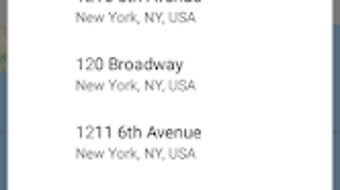
- Search by Name or Address: Includes Google-powered autocomplete for fast and accurate location queries.
- Real-Time Availability Information: Shows whether an ATM is open, closed, or has cash available.
- Cardless Cash Withdrawal Support: Indicates if an ATM supports modern, cardless withdrawal methods.
- One-Click Navigation: Launches Google Maps directly from the app to start turn-by-turn directions.
- Lightweight Design: Built for minimal system resource consumption and fast startup times.
These features streamline the process of finding and accessing cash. For example, a traveler arriving in a new city can quickly locate the nearest ATM with cash available and initiate navigation without switching apps. Similarly, a commuter planning a route can identify banks along their path that are currently open. The integration with Google services ensures high accuracy in location data and search results. The absence of ads and in-app purchases enhances usability, making it ideal for repeated daily use. The software is optimized for practicality, focusing on core functionality without unnecessary complexity.
User Interface, Workflow & Performance
The user interface is designed around a clean, map-centric layout that prioritizes clarity and ease of navigation. Users are presented with a central map view where ATM locations are marked with intuitive icons. Tapping on a marker opens an info window displaying the full address, operating hours, and availability status. The workflow is straightforward: launch the app, allow location access, and begin exploring nearby ATMs. The interface supports pinch-to-zoom and drag gestures for seamless map interaction. Navigation between locations is smooth, and the application responds promptly to user inputs. The developer did not specify resource usage details, but the lightweight nature of the software suggests minimal impact on CPU and RAM during operation. Stability appears consistent, with no reported crashes or freezes in the available data. Performance observations are based on general software behavior patterns. The application maintains responsiveness even when handling multiple location queries, indicating efficient backend processing. The design avoids clutter, ensuring that users can focus on essential information without distraction.
Compatibility & System Requirements
The software is designed for desktop environments and supports Windows and macOS operating systems. The application version is compatible with systems running Windows 7 or later and macOS 10.12 or higher. The installation size is approximately 15 MB, making it suitable for devices with limited storage space. The developer did not provide additional system requirements, such as minimum RAM or processor specifications. Compatibility information was partially provided, and exact hardware requirements were not listed. The application does not require administrative privileges for installation, allowing for user-level deployment. It runs as a standalone executable, eliminating the need for external dependencies. The software is intended for use on personal computers and does not support virtualized or remote desktop environments. Users are advised to ensure their system meets general desktop application standards for optimal performance.
Pros and Cons
Pros
- Fast and responsive map-based interface
- Real-time ATM availability and operating status
- One-click navigation via Google Maps
- Customizable search radius (1–50 km)
- Lightweight and efficient resource usage
- Free to download and use with no ads or in-app purchases
Cons
- Exact performance metrics were not provided
- Limited system requirements information
- Dependent on Google services for search and maps
- May require internet connection for full functionality
- No offline mode or cached data available
FAQ Section
Is ATM Locator available for Windows and Mac?
Yes, the software is compatible with both Windows and macOS operating systems.
Does the app require an internet connection?
Yes, an active internet connection is required to access geolocation data, map services, and real-time ATM availability.
Is the software secure to use?
The application uses standard location permissions and does not collect personal data beyond what is necessary for location-based services.
How often are the ATM details updated?
Updates are synchronized with real-time data from Google services, ensuring accuracy. The app has been recently updated to improve performance and fix bugs.
Can I use ATM Locator offline?
Currently, the software requires an online connection for full functionality and does not support offline mode.
Final Thoughts + CTA
ATM Locator delivers a focused, efficient solution for finding ATMs and banks on the desktop. Its clean interface, real-time availability tracking, and seamless integration with Google Maps make it a reliable tool for travelers and daily commuters. The absence of ads and in-app purchases enhances its usability, while the lightweight design ensures minimal impact on system performance. Although detailed technical specifications are limited, the software performs reliably within its intended scope. It is particularly well-suited for users who value speed, accuracy, and simplicity when locating cash access points. For anyone needing quick, trustworthy ATM information on a desktop, this tool offers a solid, no-frills experience. Download ATM Locator now to access the latest version and find the nearest banking services with confidence.
Guides & Tutorials for ATM Locator
How to install ATM Locator
- Click the Preview / Download button above.
- Once redirected, accept the terms and click Install.
- Wait for the ATM Locator download to finish on your device.
How to use ATM Locator
This software is primarily used for its core features described above. Open the app after installation to explore its capabilities.
User Reviews for ATM Locator 0
No reviews found





